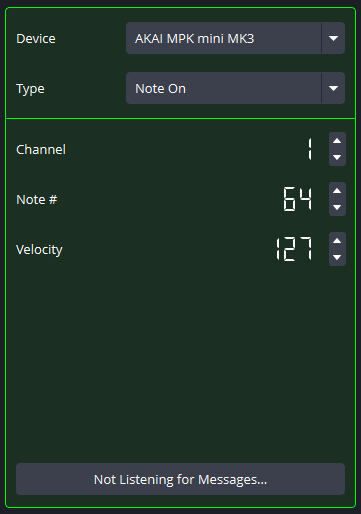
MIDI Messages are the means in which your MIDI devices can communicate with other hardware. They are composed of a type, channel, and (usually) other values. These values can be inputted manually or, by using the Listen to Message feature, can be inputted by the MIDI device automatically. Messages are also very customizable - most fields can depend on MIDI input or a value from OBS Studio.
As of now, the plugin will not be able to identify specific functionalities of the MIDI device. For information about those MIDI messages, please refer to your physical MIDI device specification.
You can select the MIDI device that the Message should use to detect its parameters.
MIDI devices will appear even if they are Disconnected. However, input Bindings only work if the Message is fulfilled, and the MIDI device has to send a MIDI message for that to happen. Additionally, output Bindings cannot send Messages to MIDI devices that are Disconnected.
Other Message parameters are displayed based on the type of Message. This is determined by the MIDI specification that your MIDI device is required to follow.
Please refer to this guide if you have any questions about MIDI messages.
The button at the bottom of this screen can be used to automatically detect MIDI messages from the selected MIDI device. Clicking this button once will only retain the first MIDI message it sees, but clicking it again will constantly find any MIDI messages that the MIDI device is sending.
When this Listening button is enabled, all Bindings throughout the plugin will be disabled. Only when the button is turned off will Bindings become enabled again. If you accidently leave the Continuous Listening button enabled, the plugin will automatically turn it off when you leave the Message editor.